Warranty, returns and repair management for Gorgias
ReturnMate is a returns and warranty management app for Shopify merchants using Gorgias. Manage claims, inspections and repairs in ReturnMate while support agents access RMA details and share updates through Gorgias.
Included on Starter and every plan above. Not available on the Free plan. About Gorgias: gorgias.com
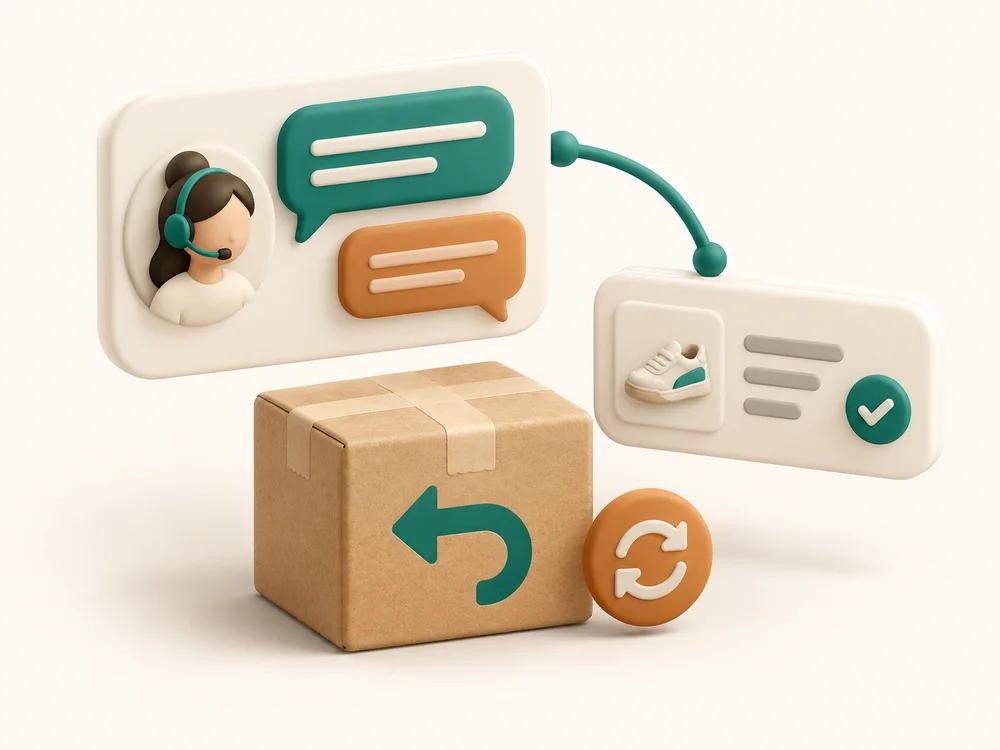
- Return details inside GorgiasRMA status, tracking and items on the ticket sidebar.
- Two-way messages and notesCustomer messages and internal notes, in the direction you choose.
- Automatic ticket creationA Gorgias ticket for every new return, photos attached.
Answer customers with the return context in front of you.
When an agent opens a ticket, the ReturnMate widget lists that customer's RMAs beside the conversation. Nothing to look up, nothing to ask the warehouse.
- RMA number, order, reason, resolution, return method and tracking, with the current status and its SLA state
- Whether it is a return or a warranty case, and a dangerous-goods flag where it applies
- One click to open the RMA in ReturnMate or the customer's own portal view
The widget shows and links. Approvals, refunds and status changes are made in ReturnMate, where the permissions and audit trail live.
Keep support, warehouse and repair teams in sync.
Link a ticket to an RMA and the conversation travels with it. Nobody copies updates between systems by hand.
- Customer messages sync between the ticket and the RMA timeline — inbound, outbound or both
- Internal notes sync with their own direction and visibility, and any note on the RMA can be sent to the ticket with one tick
- Inspection findings and the updates ReturnMate sends the customer are posted to the ticket as private notes
RMA status stays separate: closing a ticket does not resolve a return, and resolving a return does not close the ticket.
How warranty claims work with Gorgias and ReturnMate
A warranty claim is longer than a return: evidence, an eligibility decision, an inspection and a repair or replacement, often weeks apart. Here is how one runs when support works in Gorgias and the claim runs in ReturnMate.
The workflow itself is covered on warranty claims and repairs and RMA management; the wider picture is in the Shopify warranty management guide.
- 01The customer reports a fault
They describe the problem and upload photos or video through the ReturnMate portal, or a support agent opens the claim from the conversation. If automatic tickets are on, a Gorgias ticket opens for the customer with the evidence attached.
- 02The team assesses the claim
Coverage is checked against the purchase date and warranty term in ReturnMate. The agent sees the claim's status on the ticket sidebar and answers the customer without asking the warehouse.
- 03The item is received and inspected
Receiving and the technician's inspection are recorded on the RMA. Inspection findings are posted to the linked ticket as private notes, so support knows what was found before the customer asks.
- 04Repair or replacement is arranged
The resolution — repair, replacement, refund or a paid repair quote if the claim is outside cover — is decided and recorded in ReturnMate. The customer-facing updates ReturnMate sends appear on the ticket too.
See the connection in action.
A short setup walkthrough: connecting Gorgias, the one-click sidebar widget, automatic tickets, and what an agent sees on a linked ticket. Click to play; nothing loads until you do.
Setup summary (what the video covers)
- In ReturnMate, open Settings → Integrations → Gorgias, enable the integration, enter your Gorgias subdomain and click Connect Gorgias.
- Once connected, choose whether to open a ticket automatically for each new return, and set message and internal-note sync directions and visibility.
- Enable the sidebar widget and click Setup Widget in Gorgias, then Save Settings.
- Open a ticket in Gorgias to see the customer's RMAs in the sidebar; on the RMA in ReturnMate, link or create the ticket from the Support Ticket card.
Three steps, no API keys to paste.
- Connect your Gorgias account. Settings → Integrations → Gorgias, enter your subdomain, click Connect Gorgias and approve in Gorgias.
- Choose message and internal note sync settings. Direction for customer messages, direction and visibility for internal notes, and whether to open a ticket for each new return.
- Click “Setup Widget in Gorgias” and save. ReturnMate creates the sidebar widget in your Gorgias account for you.
Manual widget configuration, API-key connection and message storage settings are in the help centre guide. Included on Starter and every plan above. Not available on the Free plan. See plans.
Questions merchants ask.
Can I manage warranty claims with Gorgias and ReturnMate?
Yes. The warranty claim runs in ReturnMate: evidence from the customer, the coverage check against purchase date and warranty term, receiving, the technician’s inspection and fault code, and the repair, replacement or refund. Gorgias handles the conversation with the customer. Link the ticket to the RMA and the two stay in step: the claim’s status is on the ticket sidebar, and messages and notes sync between them. ReturnMate manages claims; it does not sell extended warranties or protection plans.
Can support agents see warranty and repair updates in Gorgias?
Yes, in two places. The sidebar widget shows each of the customer’s RMAs with its status and SLA state, whether it is a return or a warranty case, the resolution, tracking and items, with links to open the RMA in ReturnMate or the customer’s portal view. On the ticket itself, ReturnMate posts inspection findings and the updates it sends the customer as private notes, so the agent sees what the workshop found. The widget is read-only: acting on the claim happens in ReturnMate.
Can ReturnMate automatically create Gorgias tickets?
Yes. Turn on Automatically open a ticket for each new return in Settings → Integrations → Gorgias. When a return is created from the customer portal, the admin, a counter swap or a third-party repair, ReturnMate opens a Gorgias ticket for that customer, attaches any evidence photos, and copies the return’s history and ongoing correspondence to the ticket as internal notes.
Can customer messages and internal notes sync both ways?
Yes, and each has its own direction setting. Customer messages can sync from Gorgias to the RMA timeline, from ReturnMate to the ticket, or both. Internal notes have the same choice plus a visibility setting for who in ReturnMate can see notes synced from Gorgias. RMA status is not part of the sync: closing a ticket does not resolve a return, and resolving a return does not close the ticket.
Which ReturnMate plan includes the Gorgias integration?
Starter and every plan above it. The Free plan does not include helpdesk integrations: a store that drops to Free keeps its saved Gorgias connection, but nothing syncs until it upgrades.
Does the integration support multiple Gorgias accounts?
One Gorgias account per ReturnMate store. Multi-store ReturnMate customers with more than one Gorgias account connect the integration separately in each store.
What happens to a ticket if the RMA is deleted?
Deleting the RMA removes the link and leaves the Gorgias ticket intact. Gorgias remains the record of the customer conversation; ReturnMate only references it.
Need help connecting Gorgias?
Tell us about your support and returns workflow.
Ticket volumes, how returns reach support today, and whether warranty or repair cases are part of the mix — we'll come back within one business day.
Connect the conversation to the resolution.
Install ReturnMate from the Shopify App Store, connect Gorgias in settings, and your support team has the return in front of them.