
Repair shop management software for Shopify.
Check it in properly, fix it by stage, hand it back with the paperwork done.
ReturnMate is Shopify returns, warranty and repairs software. Its repair module adds what a repair counter and bench need: a three-step counter intake with versioned customer consents and spend limits, a stage-driven job page for technicians, estimates with a payment policy, encrypted device password storage, collection checks at handover and online repair bookings from your customer portal. Repair jobs sit in the same app as your returns and warranty claims, connected to your Shopify customers and orders.

Illustration of a repair job record, not customer data
Check a device in properly, in three steps.
Most repair disputes start at the counter: an accessory nobody wrote down, a crack that was already there, a price the customer never agreed to. Intake takes the customer through the same three steps every time, with a receipt preview and a “before the customer leaves” checklist beside the form.
Customer & device
Find the customer or a repeat visitor and their previous devices, pick the receiving location and shelf, then record the make, model, serial or IMEI and the accessories handed over. If it was bought from you, look up the Shopify order.
The fault
The customer's words, kept verbatim. Then the requested service, priority, promised date, spend limit, diagnostic fee, planned data or irreversible work, and a condition card covering power-on, liquid indicators, cosmetic grade and damage.
Authority & print
Backup status, how the device will be accessed, device passwords into the encrypted credentials section, manager sign-off for high-value items, the consents in their current wording, and the intake receipt printed or emailed.
- Up to ten devices in one visit, one tab each, sharing a visit reference; each becomes its own job
- A completed job on the same device inside your workmanship window is flagged as a possible repeat repair
- “Bought from us” lookup by order number or the customer's Shopify orders
- Passwords typed into notes or the fault description are rejected and routed to the credentials section
- Serial, service tag or IMEI, or a reason when it isn't available
- Shelf or bin location recorded, so the device can be found again
For the workflow independent of any software, with a printable intake and collection checklist, read the repair management guide for Shopify merchants.
Know exactly what the customer agreed to.
Consents are recorded against the version of the wording the customer actually saw, so a later edit to your terms never rewrites what they signed up for. The spend limit they set at the counter travels with the job.
- Consent wording is versioned; each acceptance records the version and the date
- Spend limit set with preset amounts or a custom figure
- When committed spend passes the limit, the job shows an over-limit notice and the estimate is how extra spend gets approved
- Planned data work or irreversible work needs its matching consent before the job can move to repairing
- Removed parts get a disposition at intake: return to owner, shop keeps, or dispose
- Declared value above your high-value threshold needs a manager to sign off
Illustration, not customer data
One page per job, driven by its stage.
Technicians open a job and see where it is, what is blocking it and the next move. The action card changes with the stage, and moves that need a decision, such as a QA result, open a short dialog instead of a status dropdown.
Intake complete, receipt issued.
Checklist, findings, estimate.
Customer accepts or pays.
Authorised, waiting for the bench.
Consents checked first.
Checklist with measurements.
Customer emailed.
Handover recorded.
- Blockers you can see at a glance: awaiting parts, customer, payment, access, backup confirmation, subcontractor or manager, and safety hold
- Customers are emailed when a job is blocked on something they care about, when the promised date moves and when it is ready
- Record tabs for parts, labour, checklists, documents, timeline and details
- A facts column with the customer's own words, spend headroom, value and custody, consents and credentials
- Checklists run on a tablet, with measurements judged pass or fail against minimum and maximum targets
- A repairs workspace with tabs for the counter, my bench, unassigned, awaiting approval, parts required, ready for collection and overdue
Technicians also record fault codes, labour and parts the same way as on a warranty claim; that side is covered on the Shopify warranty app page.
Get approval before the work, and paid the way you choose.
Estimates are built on the job and sent to the customer, who can accept, decline or ask a question from the portal. Payment goes through Shopify invoices, under the payment policy you set for the module.
Pay before work starts
The customer accepts the estimate and pays the Shopify invoice before the job moves to repairing.
Deposit, then balance
A deposit invoice first, then the balance billed as a second Shopify invoice. Useful for parts you have to order in.
Pay on collection
The invoice is prepared once the estimate is accepted and settled when the customer picks the item up.
Illustrative example, not customer data
- A changed estimate is a new revision that supersedes the old one; nothing is deleted
- The customer's acceptance is recorded before anything is invoiced in Shopify
- Work cannot start until the customer has authorised it, or it is warranty or goodwill
- Estimates expire, so a stale price does not hold the bench
- Payments are kept in a ledger on the job, with tax-inclusive pricing if you want it
- Declined jobs can wait for the customer to choose: collect as-is, dispose, or pay a diagnostic fee
Passwords off the sticky note and out of the notes field.
A repair often needs the customer's password or PIN. ReturnMate keeps it in one encrypted place on the job, shows it only to the people who need it, and removes it when the job is done.
- Captured in step 3 of intake, in their own section
- Passwords typed into notes, fault text or estimate lines are rejected
- Reveal audit entries stay internal and are never sent to a helpdesk
- Wiped automatically when the job is completed or cancelled
- Retention period of 1 to 90 days, 30 by default
- Never collected through online bookings
Hand it back to the right person, with nothing left behind.
The handover page runs the physical checks before the device leaves the counter. Each one is something that gets missed on a busy day, and each is recorded on the job.
- Ready-for-collection email, with collection reminders
- Releasing with a balance outstanding needs a manager exception, recorded with its reason
- Uncollected jobs come up for review after the number of days you set
- Repaired items can go back by courier instead, against an outbound shipment
Intake receipt
What was received, the fault in the customer's words and what they agreed to. Printed or emailed at the counter.
Work order
The internal sheet for the bench. Never sent to the customer.
Completion report
What was done, including checklist measurements, emailed when the job is collected.
Collection record
Who collected, when, and what was handed back.
Repair documents can be printed or emailed to the customer (internal work orders excepted). If nothing on the job has changed, the current version is reused instead of creating a new one.
Phones, computers, instruments and jewellery.
Choose Computer Repairs or Walk-in Repairs, then a preset if one fits. A preset changes the item types, the word used for the item, the intake and QA checklists, the service presets, the consent wording and the stage names. A music store sees “Assessing”, “In workshop” and “Setup & play test”; a jeweller sees “Inspecting”, “At the bench” and “Final inspection”.
Computer repairs
Laptops, desktops and data work. Backup status, data transfer, OS reinstall and erasure consents, and how the device will be accessed.
Phones & tablets
Screens, batteries and board-level work. Activation lock confirmed off and carrier lock at intake; authority for data-loss risk, non-genuine parts and case opening.
Music store
Instruments, amps and pro audio. Authority for refrets, nut or saddle work, neck resets, refinishing and soldering originals; setup measurements in the checklist.
Watch & jewellery
Watches, clocks, rings, chains and settings. Authority for resizing, stone work, solder or heat, polishing, plating, engraving and case opening.
- Checklist measurements with targets, such as phone battery health, instrument action height, or a watch's rate, amplitude and beat error on the timegrapher
- The completion report prints the measurements taken
- Neutral Walk-in Repairs for any other counter repair, with your own item types
- Module settings for participating locations, promised turnaround, workmanship window and whether QA is required
Industry detail: consumer electronics and watches & repair-heavy products.
Let customers book the repair before they arrive.
Book a Repair sits on your ReturnMate customer portal. A customer verifies their email, describes the item and the fault, and chooses how it reaches you. They do not need an order with you, though they can link one if they bought it from you.
- Customers can set a spend limit and accept your service terms, diagnostic fee and spend-limit wording online, recorded with the version and date
- Device passwords and permission for irreversible work are only ever taken in person
- Staff see waiting bookings under Repairs → Online bookings; each booking can be checked in once
- Customers or staff can cancel before check-in; untouched bookings expire after 14 days by default
- A posted-in booking with a live label never expires, because the parcel may be on its way
- Confirmation, cancellation and expiry emails, with the booking form in English and Spanish
Book a Repair is part of the customer portal, the same portal customers use for returns and warranty claims.

The technician app for the same records.
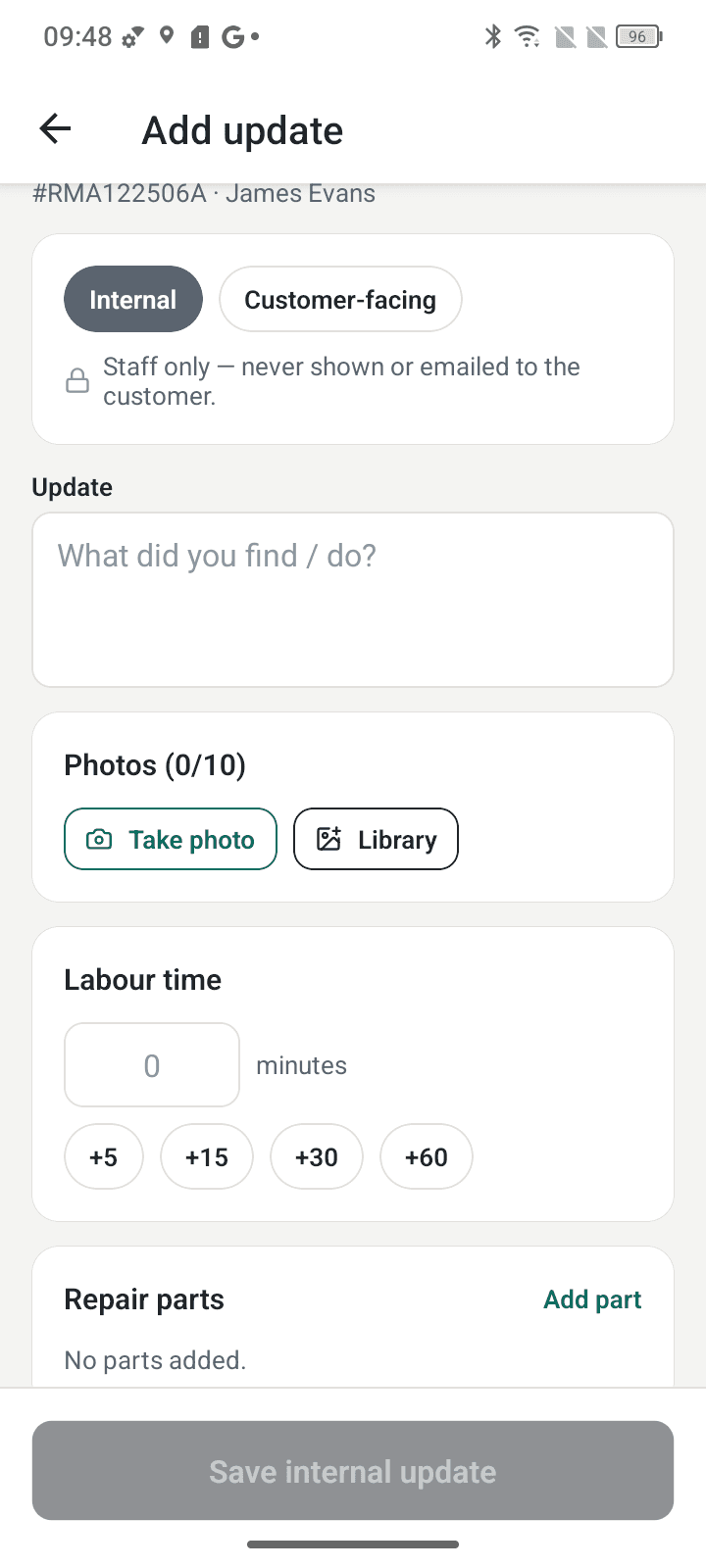
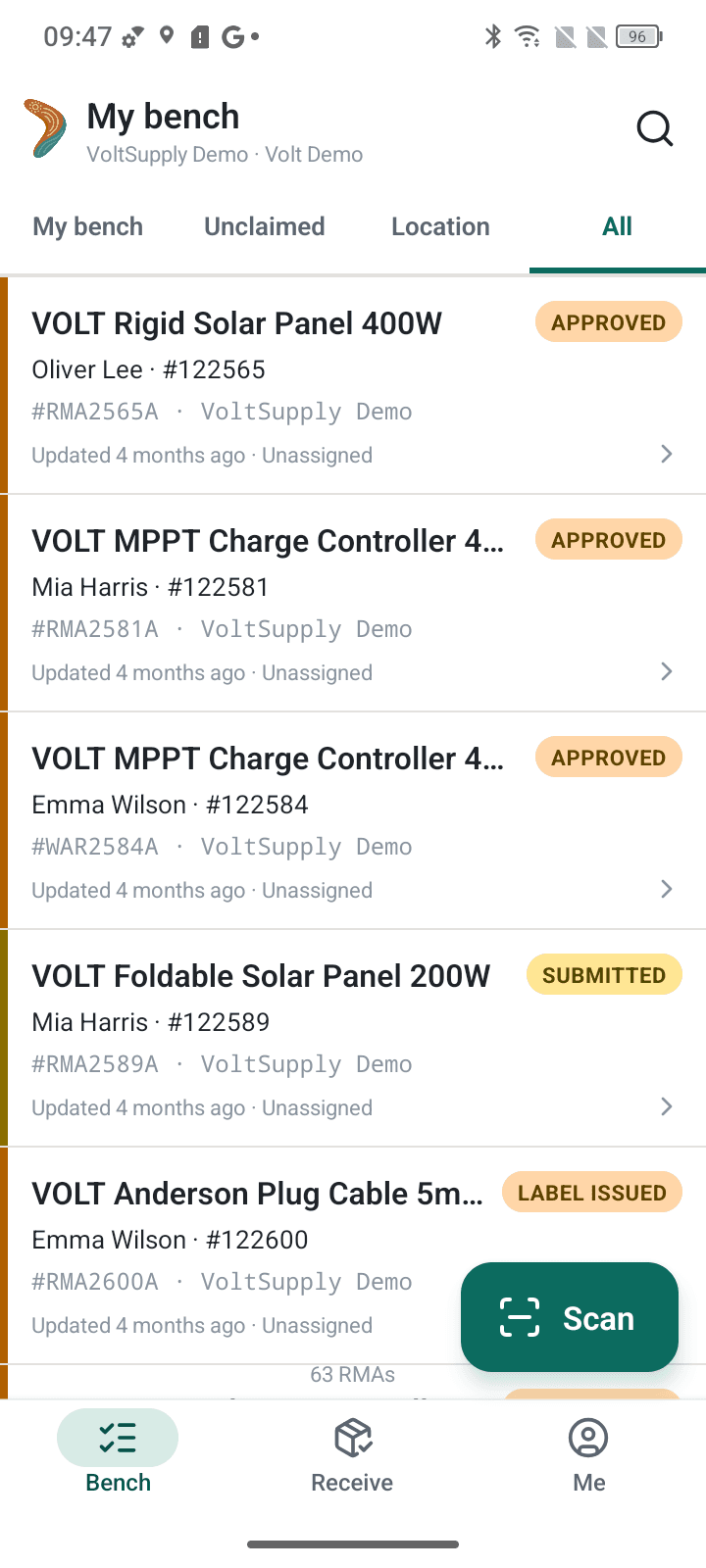
ReturnMate Tech puts the workshop side on a phone: scan a device tag, QR code or carrier label to open the right record, then capture photos, faults, labour and parts where the work happens.
- Writes to the same records the counter and office are looking at
- No separate subscription and no per-technician licence
- Device passwords stay in the web app; they are not available in Tech
Repair shop questions.
What is repair shop management software?
Repair shop management software runs the work between a customer handing over a broken item and collecting it again: checking the item in, recording the fault and the customer's permissions, assigning and tracking the repair, pricing and approving the work, taking payment and handing the item back with a record of what was done. ReturnMate is Shopify returns, warranty and repairs software, and its repair module does this inside Shopify: a three-step counter intake with versioned consents and spend limits, a stage-driven job page for technicians, estimates with a payment policy, encrypted device password storage, collection checks at handover and online repair bookings from your customer portal.
Is ReturnMate a repair point-of-sale system?
No. ReturnMate runs inside your Shopify admin beside your returns and warranty claims, and it does not replace your till. Estimates are billed as Shopify invoices, so payment lands in the store you already reconcile. When your payment policy takes a deposit, the deposit and the balance are separate Shopify invoices rather than a split payment in Shopify POS.
Which kinds of repair shop is it set up for?
There are two repair modules. Computer Repairs covers laptops, desktops and data work, with a Phones & tablets preset. Walk-in Repairs covers any counter repair, with a Music store preset for instruments, amps and pro audio and a Watch & jewellery preset for watches, clocks, rings, chains and settings. A preset changes the item types, the word used for the item, the intake checklists, the diagnostic and QA checklists, the service presets and the consent wording. A store runs one repair module, turned on under Settings → Industry modules or in the setup wizard.
Can customers book a repair online?
Yes. Book a Repair on your customer portal lets a customer book with a verified email address, and they do not need an order with you. They choose drop-off, bringing up to three items to a store they pick whenever it is open, or post-in, one item per booking with a label or instructions issued through the portal. They can set a spend limit and accept your service terms online. Device passwords and permission for irreversible work are never collected online. At the counter, checking the booking in opens the intake already filled in.
Does Book a Repair take appointment times?
No. Drop-off bookings have no appointment time: the customer brings the item in when the store is open and gives the counter their booking number. Untouched bookings expire after a set number of days (14 by default), except a posted-in booking whose parcel already has a live label.
How are customers' device passwords stored?
Device passwords and PINs are stored encrypted (AES-256-GCM) on the repair job, in their own credentials section. Only the assigned technician, managers and staff given the reveal permission can reveal one. Every reveal is audited, the revealed value hides again after 60 seconds, and credentials are wiped automatically when the job is completed or cancelled, or after a retention period you set (30 days by default). They never appear on printouts, the customer portal or exports, and passwords typed into notes or fault descriptions are rejected.
How do repair estimates and payment work?
The estimate is built on the job from labour and parts. A changed estimate is a new revision that supersedes the old one rather than overwriting it. The customer can accept, decline or ask a question from the portal, and the acceptance is recorded before anything is invoiced in Shopify. Each module has a payment policy: pay before work starts, pay on collection, or a deposit then the balance. Work cannot move to repairing until the customer has authorised it and every planned operation has its consent.
What checks happen when the customer collects?
The job has to be ready for collection. If there is a balance outstanding, it is taken first or released with a manager exception and a reason, which is recorded. Staff confirm the device identity by scanning its tag or checking the serial, tick off the accessories received at intake, and hand back any original parts the customer asked to keep. A collection record is created, and uncollected jobs come up for review after the number of days you set.
Does the repair module work with ReturnMate Tech?
Yes. ReturnMate Tech is the iOS and Android technician app for the same records the counter and office work from, on the App Store and Google Play, with no separate subscription or per-technician licence. Device passwords are not available in the app; they stay in the web app's credentials section.
How much does the repair module cost?
The repair modules are available on every ReturnMate plan, including Free. Each item checked in becomes its own job and counts as one RMA toward your plan's monthly allowance. The Free plan is US$0/month with 5 RMAs and Starter is US$49/month for up to 50 RMAs, with Growth, Ops, Scale and Enterprise plans for larger operations. Billing runs through Shopify.
Related capabilities.
Warranty claims, fault codes and supplier recovery.
Coverage decided by policy, three-level fault classification, parts and labour at cost, and the supplier side of a faulty product.
Read more →§ CUSTOMER PORTALReturns, claims and repair bookings in one portal.
Your branded portal for returns and warranty claims, where customers also book repairs and answer estimates.
Read more →§ RETURNMATE TECHThe technician app for your bench.
Scan units, capture photos, labour and parts from the workshop floor. On the App Store and Google Play.
Read more →Run the repair counter in the app you run returns in.
Install ReturnMate from the Shopify App Store and turn on a repair module under Settings → Industry modules. Available on every plan, billed through Shopify.